
Camera Pro - Animate Photos
Naz DigitalPhotography
4.021.00 Reviews
- Version
- 1.2.1
- Installs
- 1.00M
- Age Rating
- Everyone
Screenshots
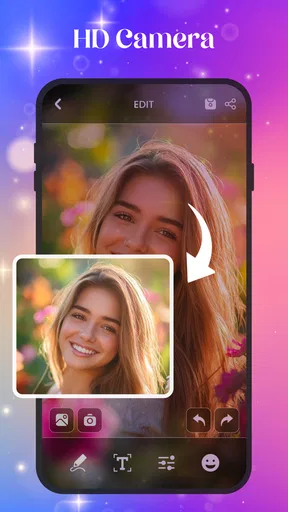
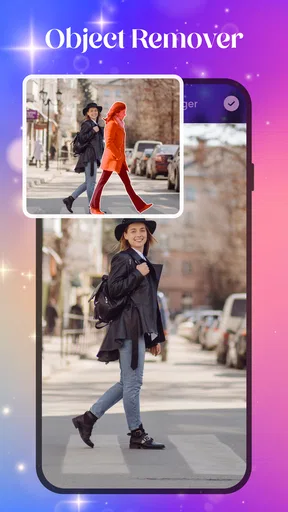
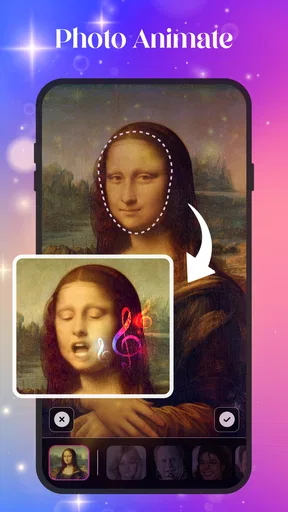
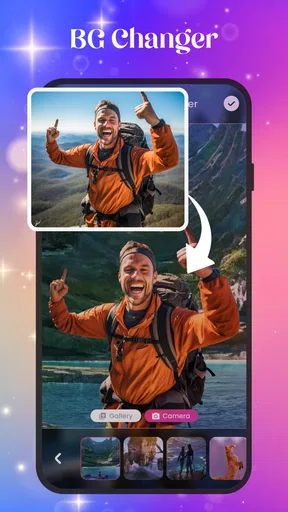
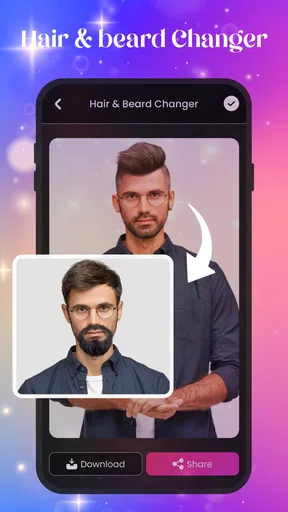

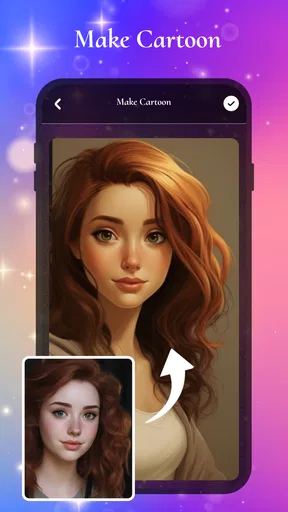

Our Review of Camera Pro - Animate Photos
 Analysis by Appyee
The first few sessions with Camera Pro - Animate Photos are easy to enjoy because the idea is immediately clear: take a still image and give part of it a sense of motion. I found that appealing for photos that already have a strong subject or atmosphere but feel a little too static to share. The novelty is real, though; the more useful question is whether the app fits into a creative routine after the first experiments.
When a moving photo earns its place
I would reach for this kind of editor when I have a picture with one obvious motion cue: clouds over a landscape, water in a travel shot, or a scene where a subtle animated overlay can add mood. The motion-arrow approach described in the app makes the process feel more direct than learning a full video-editing timeline. It is a good match for someone who wants to make one image more expressive, not build a complicated sequence from several clips.
A practical way to start is to choose a photo with a clear, uncluttered area for movement. Marking a direction across a broad patch of sky or water is easier to judge than trying to animate a busy scene with overlapping subjects. I would keep the first pass restrained, then adjust the speed and intensity only after checking whether the result still looks like the original moment. Too much movement can draw attention away from the subject rather than toward it.
That makes the app especially suitable for casual social posts, a playful greeting, or a small creative project with a favorite snapshot. It is less suited to someone who needs precise retouching, professional color management, or a polished video assembled from multiple shots. For those jobs, a dedicated photo editor or video app gives more control over the whole production. Camera Pro’s appeal is the narrower, quicker transformation of a still image.
A real-life workflow, not just a novelty
Imagine taking a photo of a rainy window during a quiet afternoon. Later, you could select the image, add a restrained motion effect where the scene supports it, and try a light overlay to reinforce the mood. Before sharing, I would compare the animated result with the original and ask whether the added movement improves the feeling or simply makes the image busier. That small check is useful because an effect can look exciting while editing and feel distracting once viewed in a feed.
For repeat use, I would treat each edit as a short sequence of decisions: pick a photo with a clear focal point, set the motion direction, preview at a modest intensity, then adjust brightness, contrast, or saturation only if the animation needs it. Filters are best used with a light touch when the motion itself is already the main change. This workflow avoids piling effects on top of one another and makes it easier to understand which adjustment actually helped.
One useful trade-off is that animation depends heavily on the source image. A still photo does not contain real movement information in the way a video does, so the effect works best when the viewer can accept an artistic suggestion rather than expect documentary realism. I would avoid using it to imply that an event happened exactly as shown. For a personal creative post, that imaginative quality is part of the fun; for a record where accuracy matters, an unaltered photo or actual video is the better choice.
Getting Started with Camera Pro - Animate Photos
First off, downloading and installing the app was a breeze. Available on both Android and iOS, it only took a few taps before I was up and running. Upon launching, I was greeted with a sleek, user-friendly interface. Everything is laid out intuitively, making it easy even for the less tech-savvy among us to dive right in.
The main screen offers a variety of options like creating new animations, browsing your gallery, and accessing tutorials. I appreciated the tutorials; they were succinct yet informative, perfect for getting a quick handle on the app’s features.
Dive into Animation Features
Now, onto the fun part! The app gives you the power to bring your images to life with just a few taps. I started by selecting a photo from my gallery. The app supports a wide range of formats, so no worries about compatibility here.
Once I picked my image, I was introduced to an array of tools. The most impressive feature is the motion effects. You simply draw arrows to indicate the direction of the animation, and voilà, your photo starts moving. The effects are smooth and natural-looking, adding a dynamic flair to otherwise static shots.
Another standout tool is the ability to add overlays. Whether it's a gentle snowfall or a crackling fire, these overlays can set the perfect mood for your animated photos. The app also lets you adjust the intensity and speed of these effects, giving you full creative control.
Customization and Sharing
I found the customization options in Camera Pro - Animate Photos to be quite robust. You can tweak brightness, contrast, and saturation, ensuring your final product looks exactly how you envisioned. The app even offers several filters to give your photos that extra pop.
Once you're happy with your creation, sharing it with friends and family is a snap. The app supports direct sharing to social media platforms like Instagram and Facebook, or you can save your animation to your device. It’s perfect for showcasing your creative side or just spicing up your social media feed.
What keeps the app useful over time
After the first week, I would judge the app less by how many effects I can try and more by how often I have a photo that genuinely benefits from animation. A landscape with open space or a deliberately atmospheric portrait may be a natural fit; an everyday picture with no clear motion idea may not be. That is not a flaw so much as a reminder that this is a specialist tool, not a replacement for every step of a photography workflow.
For someone who posts occasionally, the free app is a low-friction way to explore the style before deciding whether it deserves a regular place on the phone. The app is from Naz Digital, and its current version is 1.2.1. It has a 4.0 average from around 2.2K ratings, with over 1 million installs. Those figures suggest that people are trying it in meaningful numbers, but they do not tell me whether its particular creative approach will suit you; the best test is whether you enjoy shaping a still image by hand.
The listed age rating is Everyone, and the app is free to install, with in-app purchases ranging from $4.99 to $29.99 per item. I would explore the core workflow before paying for anything. If you only want to animate a photo once in a while, a purchase may not add lasting value; if you find yourself returning to the same editing process for personal projects, the extra cost may be easier to justify. It runs on Android 7.0 or later, so checking compatibility before installing is sensible if you use an older device.
Where it sits beside familiar photo tools
Compared with a standard photo editor, this app is more focused on motion and atmosphere than on broad image correction. A traditional editor is usually the better choice when the main job is cropping, removing distractions, or carefully balancing color. A video editor is preferable when you need clips, timing, music, or a sequence with a beginning and end. Camera Pro’s middle ground is appealing when you want to keep one photo as the foundation and add a small animated flourish without turning the task into a full video project.
That focus also sets expectations. I would not choose it as my only camera or editing app, because the strongest reason to open it is a specific image that invites a motion treatment. Keeping a general-purpose editor alongside it makes more sense: use the broad tool for everyday corrections, then bring a suitable image here when animation is the point. This split workflow avoids forcing every photo into a style that only works for some scenes.
Small habits that prevent editing fatigue
The main risk to long-term enjoyment is effect fatigue. If every picture gets moving overlays, filters, and stronger color, the edits can start to look alike and the original moment gets buried. I would save the most noticeable treatments for photos that support them, and use a quick before-and-after comparison before sharing. Choosing fewer edits often gives the subject more room to stand out.
Another practical habit is to keep the original photo untouched. Saving an animated version separately gives you the option to return to the source if you later prefer a cleaner look, or if you want to try a different treatment without rebuilding the image from memory. It also helps when sharing: the animated version can serve as a playful post, while the still image remains available for albums or uses where motion is unnecessary.
People deciding whether to try it may wonder if they need animation experience. I do not think so: the arrow-based motion idea is approachable, and the tutorials help explain the basics. The more important skill is restraint—knowing which part of a picture should move and when to stop adjusting. If you want complete control over complex motion paths, layers, or a multi-shot edit, you will be happier with a more specialized editor.
Overall Experience and Final Thoughts
All in all, my experience with Camera Pro - Animate Photos has been nothing short of delightful. It's a fun, engaging app that adds a new dimension to your photography. I found myself spending hours playing with different effects and animations, each more captivating than the last.
If you're looking to breathe new life into your photos, this app is a must-try. It's simple enough for beginners yet offers enough depth for those who want to get creative. The combination of ease of use, powerful features, and the sheer fun of watching your photos come alive makes it a standout choice in the realm of animation apps.
So, go ahead, give it a whirl. You might just find yourself hooked on transforming your snapshots into dynamic pieces of art!
Does it earn a lasting spot?
My lasting verdict is more measured than my first-week excitement. I can see myself keeping it for those occasional images where a little movement changes the mood, rather than opening it every day. The initial experimentation is enjoyable, but recurring value comes from matching the tool to the right photo—not from adding an effect to everything in the gallery.
I would recommend giving it a try if you enjoy playful photo editing, want a simple entry point into animated stills, and are comfortable treating the result as a creative interpretation. I would skip it if your priority is dependable camera controls, precise professional adjustments, or a complete video-editing workspace. For the right user, Camera Pro - Animate Photos can be a useful creative side tool; for everyone else, its appeal may fade once the first few experiments are done.
Verdict
Strengths of Camera Pro - Animate Photos
- Intuitive interface for easy navigation.
- High-quality photo animation tools.
- Wide range of filters and effects.
- Supports multiple photo formats.
- Regular updates with new features.
Limitations of Camera Pro - Animate Photos
- Occasional lag on older devices.
- Limited free features available.
- In-app purchases can be pricey.
- Requires internet for some features.
- May drain battery quickly with heavy use.
Similar Picks in This Category
View All
Google Photos
Google LLC4.4

Gallery
Google LLC4.2

Picsart AI Photo Editor, Video
PicsArt, Inc.3.9

B612 AI Photo&Video Editor
SNOW Corporation4.1

BeautyPlus-Selfie Photo Editor
PIXOCIAL TECHNOLOGY (SINGAPORE) PTE. LTD.4.5

Remini - AI Photo Enhancer
Bending Spoons4.1
Frequently Asked Questions
What features does Camera Pro - Animate Photos offer?
Camera Pro - Animate Photos provides a variety of features including advanced photo editing tools, animation capabilities, and special effects. Users can bring their static images to life with motion features, apply filters, adjust lighting, and use overlays. The app is designed to be user-friendly, catering to both beginners and professionals.
Is Camera Pro - Animate Photos free to use?
Camera Pro - Animate Photos offers a free version with basic features, but to access the full range of advanced tools and effects, a premium subscription is required. The premium version includes additional animations, no ads, and enhanced editing capabilities, providing a more comprehensive user experience.
What platforms is Camera Pro - Animate Photos available on?
Camera Pro - Animate Photos is available on both Android and iOS platforms. Users can download the app from the Google Play Store for Android devices and the Apple App Store for iOS devices. It is optimized for smartphones and tablets, ensuring a seamless experience across different devices.
Does Camera Pro - Animate Photos require an internet connection?
While Camera Pro - Animate Photos can be used offline for basic editing and animation tasks, an internet connection is required to access some features such as downloading additional animation packs, applying cloud-based effects, and sharing your creations directly on social media platforms.
How user-friendly is Camera Pro - Animate Photos for beginners?
Camera Pro - Animate Photos is designed with user-friendliness in mind, featuring an intuitive interface and easy-to-follow tutorials. Beginners can quickly learn how to use the app's basic features, while the more advanced tools are accessible for those who wish to explore deeper. The app provides a balanced experience for all skill levels.
